> ## Documentation Index
> Fetch the complete documentation index at: https://docs.siteseedling.com/llms.txt
> Use this file to discover all available pages before exploring further.
# Setting up social links
> Setting the social links for your website
Currently we only provide the ability to provide social links for:
* Facebook
* GitHub
* Instagram
* LinkedIn (company and personal)
* Pinterest
* Reddit
* Twitter
* YouTube
If you could like more then please suggest it through our [feedback page](https://insigh.to/b/site-seedling)
Go to your Site Seedling dashboard
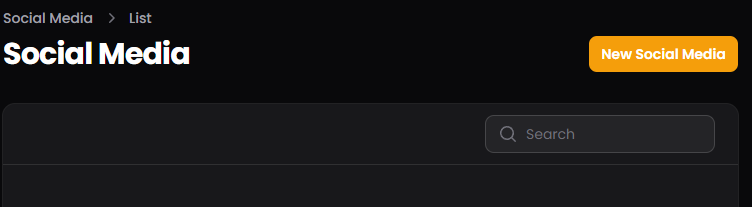
Open "Social Media"
Click on "New Social Media"
 Select the social media platform you would like to create a link for.
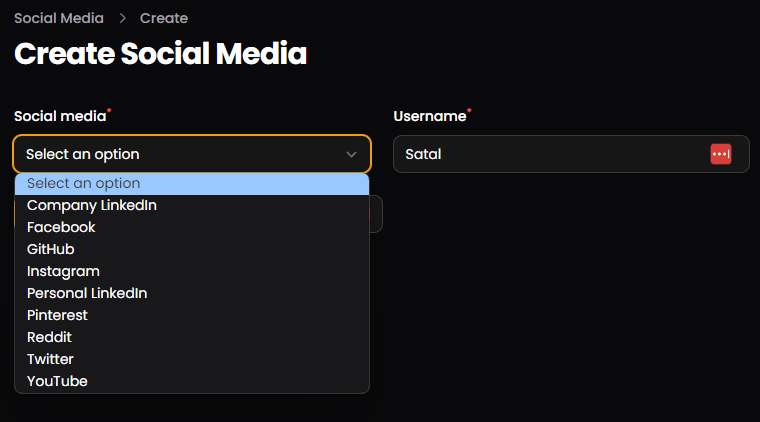 Enter your social media Username or tag.
You only need to enter the username part of the link to your profile.
For example, if you wanted to do a GitHub link and your profile was
[https://github.com/Satal](https://github.com/Satal) (I doubt it as
that's mine) then you would enter "Satal"
Click on "Create" or "Create & create another" if you would like to
create more social links.
Enter your social media Username or tag.
You only need to enter the username part of the link to your profile.
For example, if you wanted to do a GitHub link and your profile was
[https://github.com/Satal](https://github.com/Satal) (I doubt it as
that's mine) then you would enter "Satal"
Click on "Create" or "Create & create another" if you would like to
create more social links.